
 Video coming soon
Demo
AviatorHub preflight briefing
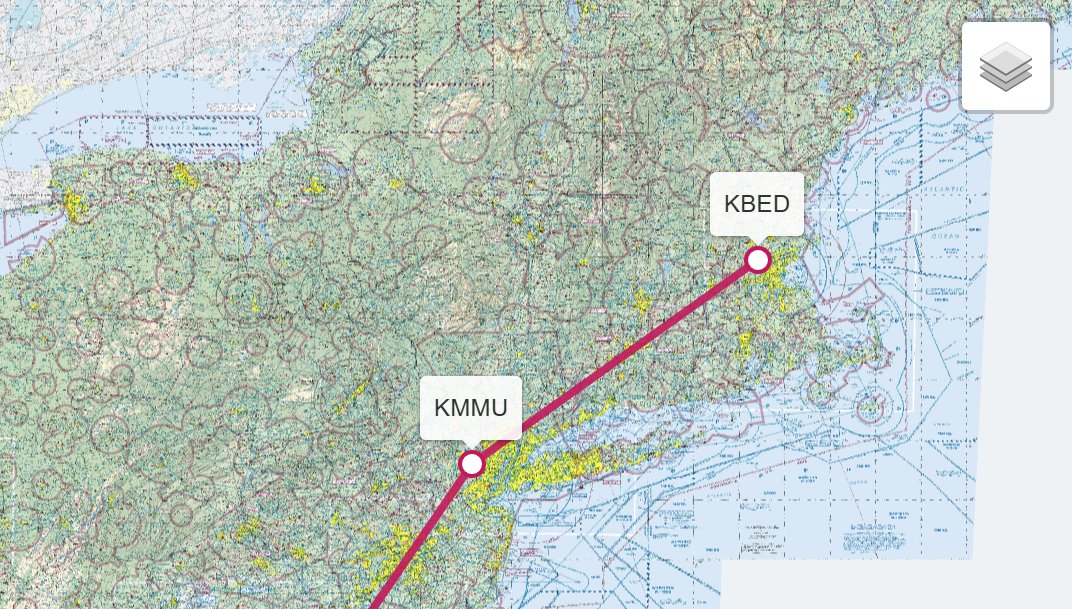
A route goes in. Weather, NOTAMs, terrain, airspace and a go/no-go call come out.
For flight schools & flying clubs
AviatorHub pulls weather and NOTAMs straight from the FAA, adds terrain elevations and airspace, and turns it all into one briefing with a go/no-go call that accounts for the aircraft and the pilot's experience. Built for schools, clubs and small operators, and you can watch it work right here.
Call 941-777-0541 and we will brief one of your training flights, live.
Video coming soon
Demo
A route goes in. Weather, NOTAMs, terrain, airspace and a go/no-go call come out.
The problem
Not because they want to. Because the briefing lives in four places.
A student pieces the briefing together from several sources, and the one that matters today is the one they skipped.
A 15-knot crosswind is a non-event for your chief instructor and a real decision for a 20-hour student. A personal-minimums card in a flight bag rarely gets consulted.
Reservations, cancellations, invoices and “is the 172 free Friday?” phone calls take a person off the floor.
What AviatorHub does
AviatorHub takes the route, the aircraft and the pilot, then fetches the current FAA weather and NOTAMs for the departure, destination and alternates. It adds terrain elevations and the airspace along the route, works out the freezing level, and writes the whole thing up as a single briefing.
The briefing ends with a go/no-go call based on the aircraft and the pilot's experience, alternative routes when the primary doesn't work, and a PDF the pilot can take along or the instructor can keep on file.
Honest scope: AviatorHub is a briefing aid for the pilot and the instructor, not a substitute for the pilot's own preflight or an official briefing. It is priced for small operations; ask us for current pricing.
Also built by us
We also built an assistant for a flight-leasing website. Its API is wrapped in an MCP server, so staff simply talk to it. Ask for a reservation and it books it. Ask for a bill and it creates one. Ask for the schedule and it opens right on the site.
If your scheduling or billing system has an API, the same approach puts a plain-English assistant in front of it. That is a pilot build, scoped in the free meeting.
Next step
Three steps, none of them a commitment. The five-step ladder with prices is on the homepage, and the two-minute AI readiness check is a good place to start.
Which aircraft, your home field, and the range of experience you train. Ten minutes on the phone is enough.
In the free meeting we brief one of your typical training flights, live, and you judge the result.
Aircraft profiles and experience levels for your students. If you want the scheduling assistant too, that is a fixed-price pilot.
or call 941-777-0541
Questions
No. AviatorHub pulls its weather and NOTAMs from the FAA's own data, but it is a briefing aid for the pilot and the instructor, not a legal briefing. It is there so nothing gets skipped, and so the go/no-go conversation happens before the student is at the airplane.
The go/no-go call already accounts for the aircraft and the pilot's experience. Setting up your school's aircraft and your students' experience levels is part of getting you started.
If it has an API, usually yes. The leasing assistant we built wraps a website's API in an MCP server, and the same approach works for other systems. Tell us what you use and we will say plainly whether it is practical.
AviatorHub is priced for small operations; ask us for current pricing. The scheduling assistant is a pilot build from $4,500, and run & train is from $450 a month. The free meeting comes first.
Start here
Thirty minutes, free. Bring one real problem from your organization. We'll tell you plainly whether AI helps, what it would take, and what it would cost. If the honest answer is "not yet", you'll hear that too.